Gwen: Local Dictation and Translation for macOS, Now Open Source
I talk to my computer a lot. At Astrolle our agent workflows start from a spoken requirement, and somewhere along the way I stopped typing most of my prompts, messages and notes. So I built the tool I wanted for that, and today I'm releasing it: Gwen, dictation and translation in any app on macOS, open source under the MIT license.
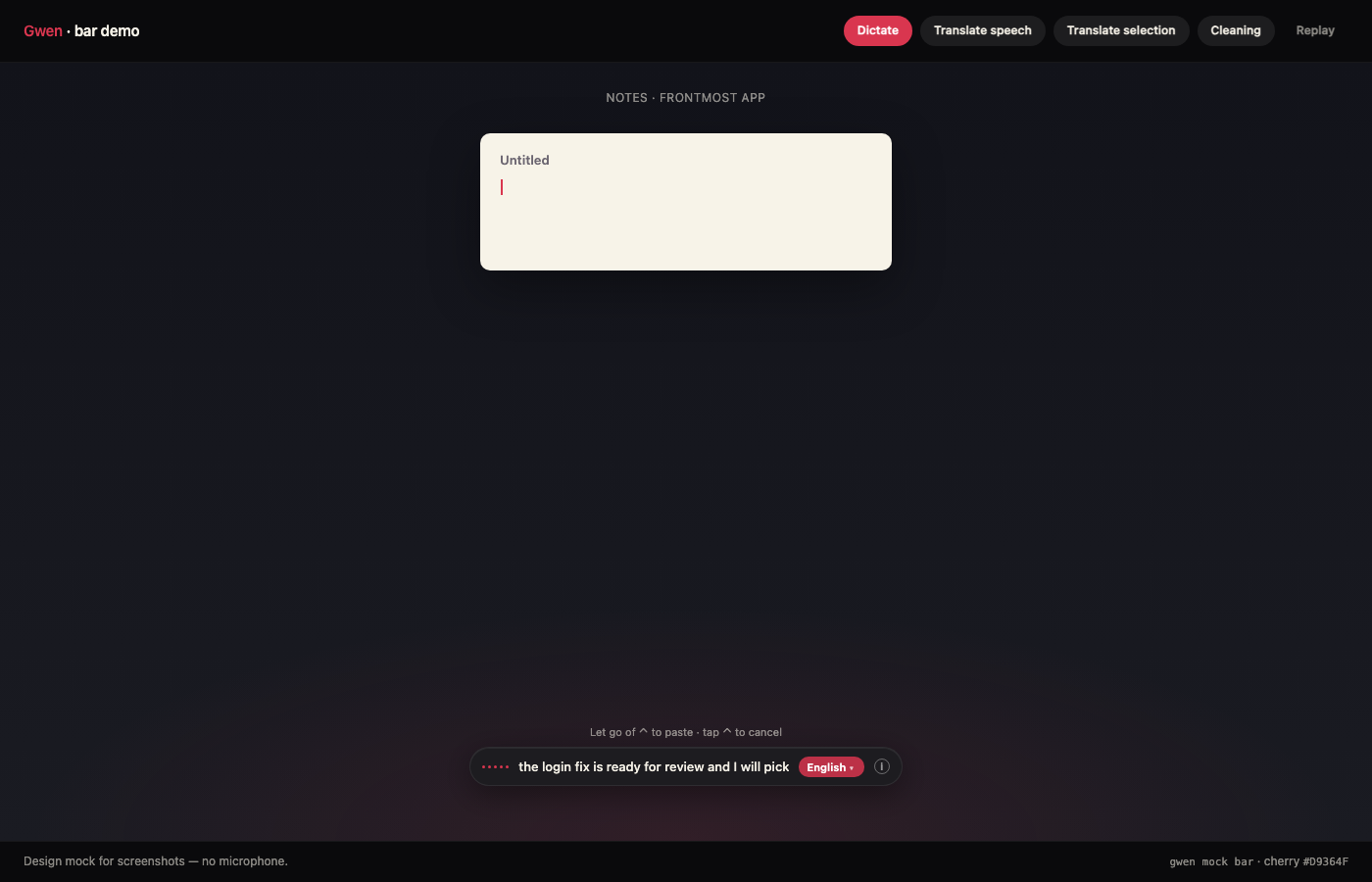 Hold ⌃, speak, let go. The words show up live in the bottom bar and get pasted where your cursor is.
The code is here: github.com/mblancodev/gwen. This post is not a tour of the features, it's about how the thing is built and the decisions that I think are worth sharing.
Requisites
- A Mac. Dictation works on any recent macOS, translation needs macOS 15 or later
- The Xcode command line tools (for
swiftc) and Python 3 - Microphone and Accessibility permissions, Gwen asks for them the first time
Considerations
- Gwen is local by default. Your voice and your text don't leave your Mac unless you turn on the one option that does, and that one is off.
- This is a tool I use every day, not a company. There's no account, no telemetry and no paid tier.
1. What It Does
Everything hangs from one key:
| Key | What it does |
|---|---|
| Hold ⌃ | Dictate, let go to finish. The text is pasted where the cursor is |
| ⌃⌃, or "Hey Gwen" | Dictate hands-free, it ends when you stop talking |
| Tap ⌃⇧ | Translate the selection, and replace it in place when possible |
| Hold ⌃, tap ⇧ twice | Translate what you say |
| Tap ⌃ | Stop whatever the bar is doing. Nothing is pasted |
That's the whole product. No window to open, no app to switch to.
2. Two Processes and a Pipe
Gwen is two programs that talk to each other:
- A Swift app (menu bar + the bottom bar) that owns everything macOS-specific: the keys, the microphone, the paste and the translation.
- A Python listener that owns the text: cutting the audio into segments, sending them to Whisper and cleaning up what comes back.
The Swift side captures the mic and writes 16 kHz frames into a FIFO. The Python side reads from it:
mic (Swift) → FIFO → segmenter (Python) → whisper.cpp → punctuation → paste (Swift)
Whisper runs as a local whisper.cpp server on 127.0.0.1:2022, so "speech to text" is an HTTP call to your own machine.
Why two languages? Because each side is boring in its own language. Global key handling, Accessibility and on-device translation are a few lines of Swift and a headache from anywhere else. Text rules are a few lines of Python and a headache in Swift. A named pipe between them is the cheapest contract I could find.
3. Punctuation Without a Model
Whisper gives you words, and its punctuation is a guess. The obvious fix today is to send the transcript to an LLM and ask it to clean it up. I didn't do that, for two reasons: it means your text leaves the Mac, and a model will happily rewrite what you said.
So punctuation in Gwen is rules. It works in two passes:
- Spoken commands first. "New paragraph", "quote … end quote", "dos puntos". These are final, nothing later undoes them. And there are guards: "a new line of products" is not a command.
- Then each sentence gets its marks from its wording. "Can we ship it today" opens with an inverted verb, so it's a question. "What a day" is an exclamation, "what time is it" is not. In Spanish the opening
¿and¡are added too.
The rule I care about the most is this one, straight from the docstring:
A text no rule touches comes back byte for byte.
If Gwen can't tell, it keeps what Whisper wrote. It works in English and Spanish today, because those are the two languages I speak all day.
There's also a small set of backtrack cues. Say "scratch that" or "no, wait" in the middle of a sentence and the false start is dropped, only what comes after is kept.
4. Pasting Into Any App
This is the part that sounds trivial and isn't. There's no plugin per editor, so Gwen does what you would do by hand:
save the clipboard → put the text in it → send ⌘V → restore the clipboard
The edge cases are where the work went:
- No text field has focus? The text is not thrown away. The bar shows it as copied, so you can paste it yourself.
- You moved to another app while it was transcribing? The text follows you into the field that has focus now.
- You're in a terminal? Line breaks are flattened into one line. A dictation with a line break in it should never run a command for you.
- Spacing and capitals are adjusted to what's around the caret, so dictating in the middle of a sentence doesn't leave you a capital letter and a double space.
5. Translation, Still on the Mac
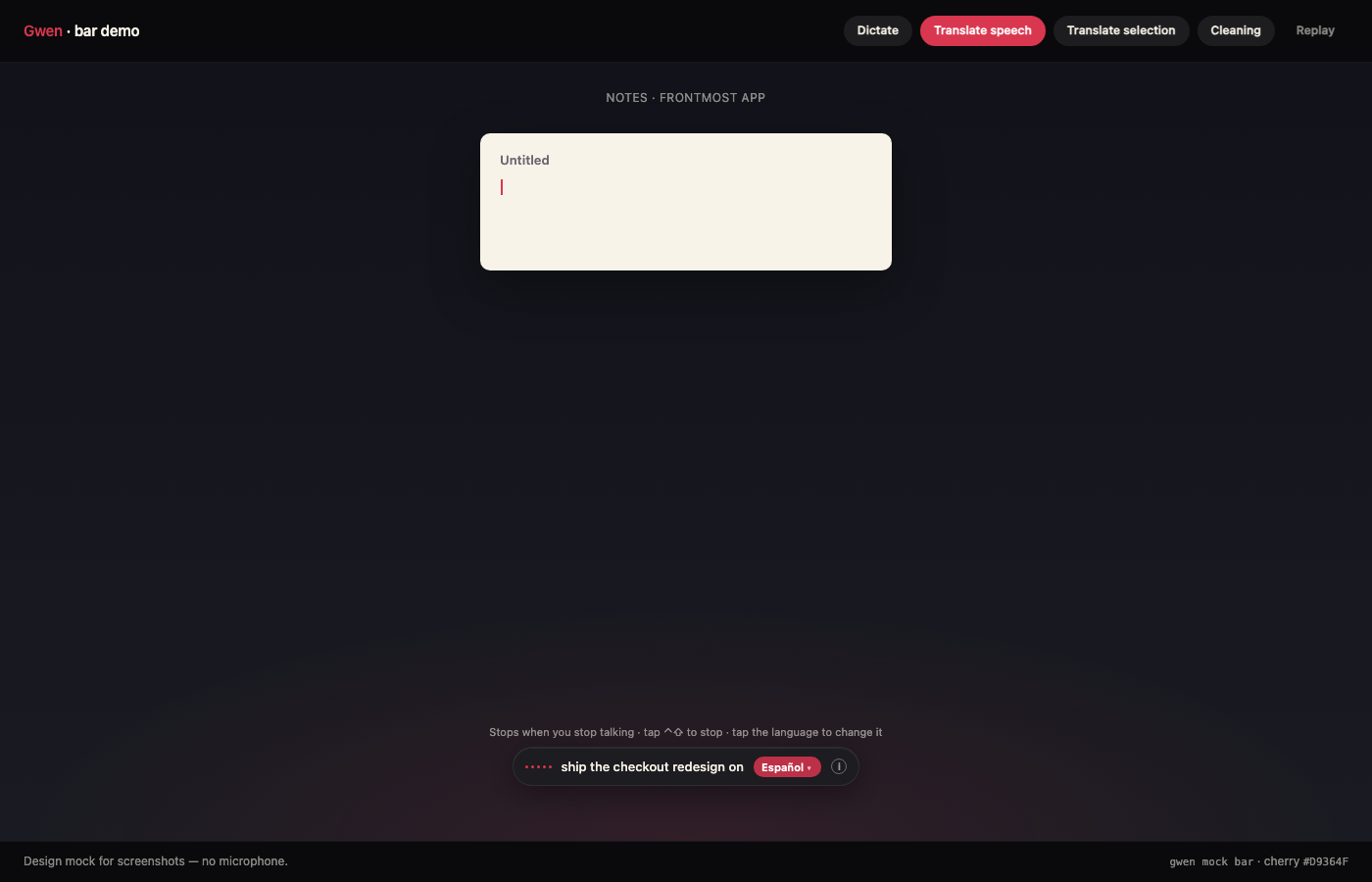 Translate what you say. The chip on the bar is the target language.
Translation uses Apple's on-device Translation framework. That's why it needs macOS 15, and also why there's no API key and no bill. It covers six languages: English, Spanish, French, Italian, Portuguese and German.
Select some text, tap ⌃⇧, and the selection is replaced in place:
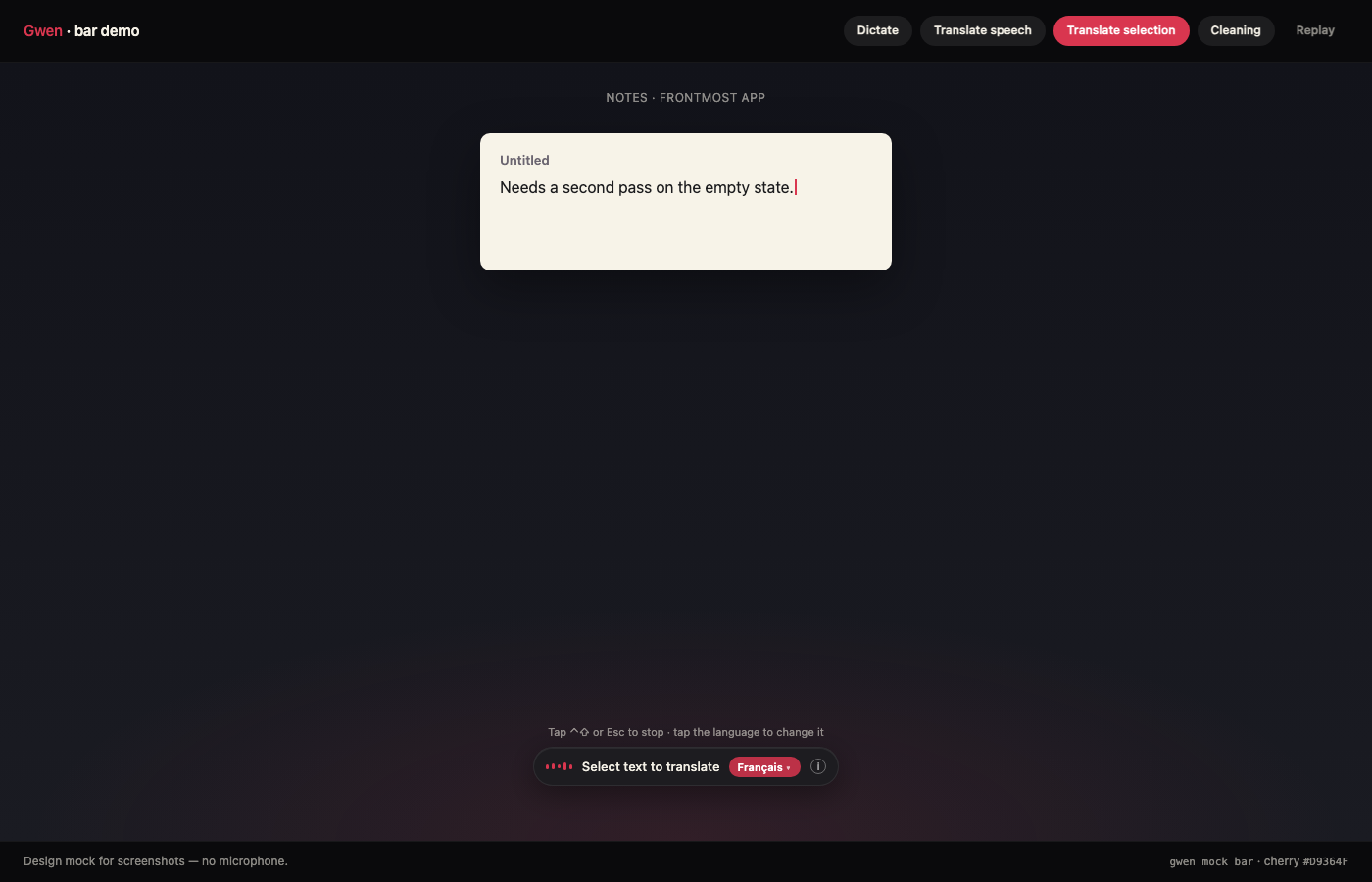
One detail that took me a while: language detection on short text is bad. A three-word Spanish phrase can come back as Swedish. The fix was to constrain the recognizer to the six languages Gwen supports, since those are the only answers that are useful anyway.
6. Learning Your Words
Every dictation tool gets your teammate's name wrong, forever. In Gwen, after a paste, the field is read back while you're still in it. If you fix the same spelling twice, it becomes a rule and it's applied from then on.
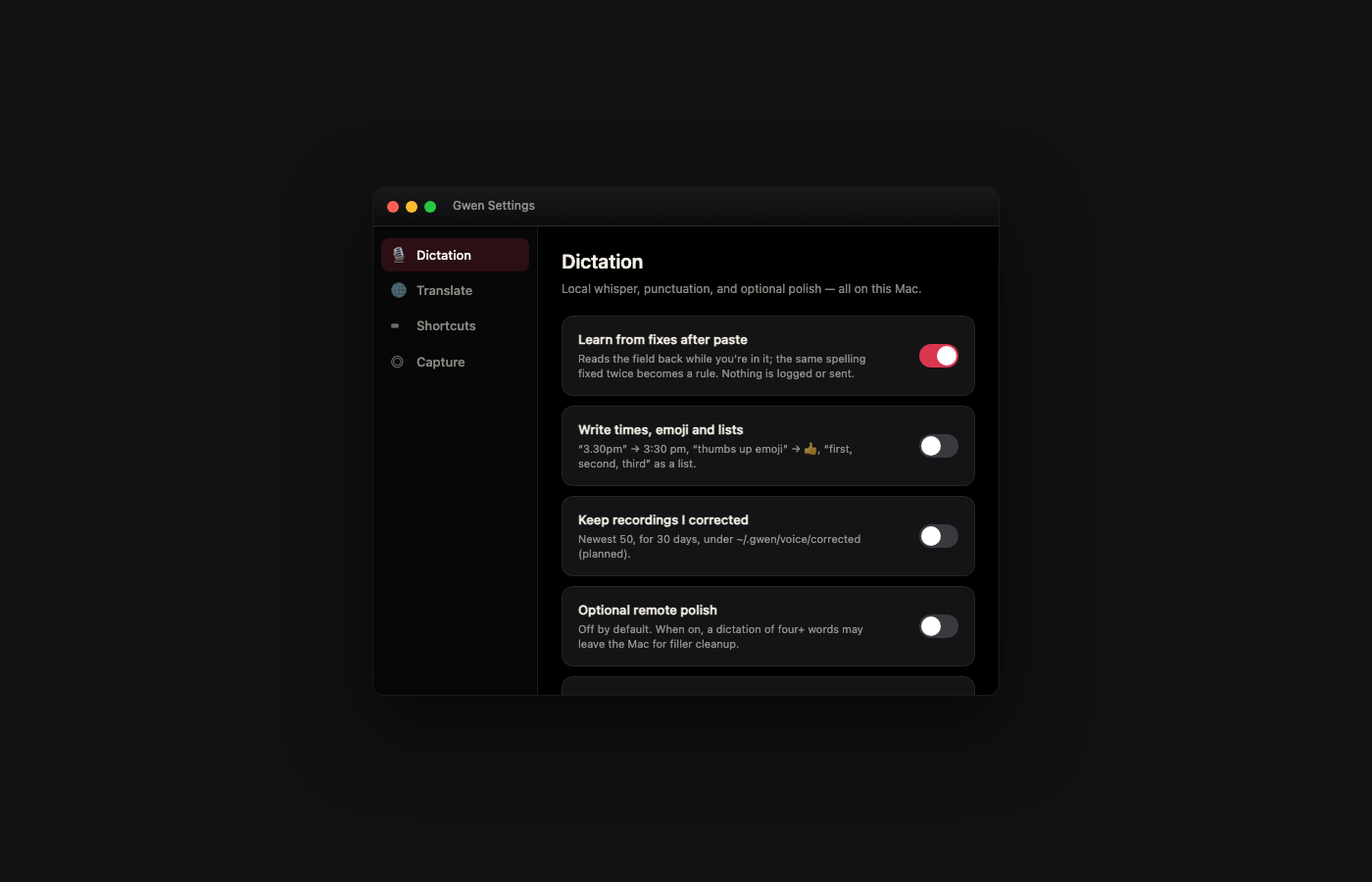
The learned words live in a private file under ~/.gwen. Nothing is logged and nothing is sent anywhere.
In that same Settings page you'll see the one option that can leave the Mac: polish with an agent. If you turn it on, a local agent CLI (Claude Code today) tidies each take, with no tools and a cost cap per take. If the CLI is missing, slow, or changes what you said, Gwen keeps the rules result. It's off by default.
7. Try It
The short way is the disk image: download Gwen.dmg (Apple silicon and Intel). It's not notarized, so the first time macOS asks you to allow it under Privacy & Security.
Or build it from the source:
git clone https://github.com/mblancodev/gwen.git
cd gwen
./bin/gwen setup    # installs and starts Whisper on 127.0.0.1:2022
./bin/gwen build    # compiles Gwen.app
./bin/gwen install  # the CLI, and the listener at login
./bin/gwen hud      # menu bar + bottom bar
No microphone at hand? ./bin/gwen mock bar plays a scripted dictation on the real bar, and ./bin/gwen mock lists the other scenes.
Other apps can drive Gwen too, through a URL scheme: gwen://dictate?mode=hold starts a dictation and gwen://translate?mode=selection does the same as tapping ⌃⇧.
--
Conclusions
Gwen is small on purpose: a Swift app, a Python listener and a pipe between them. The decisions that matter are the boring ones. Rules before models, so the text you get is the text you said. Local before remote, so you don't have to think about what you dictate. And never drop a take, even when there's nowhere to paste it.
It's MIT, so do what you want with it. If you want to contribute or fork it, by all means do it.
Let me know if you try it, and what breaks :)